
Vu Player Pro Setup Guide
Learn exactly how to install and log into Vu Player Pro on your Firestick, iPhone, or Smart TV using our simple instructions.
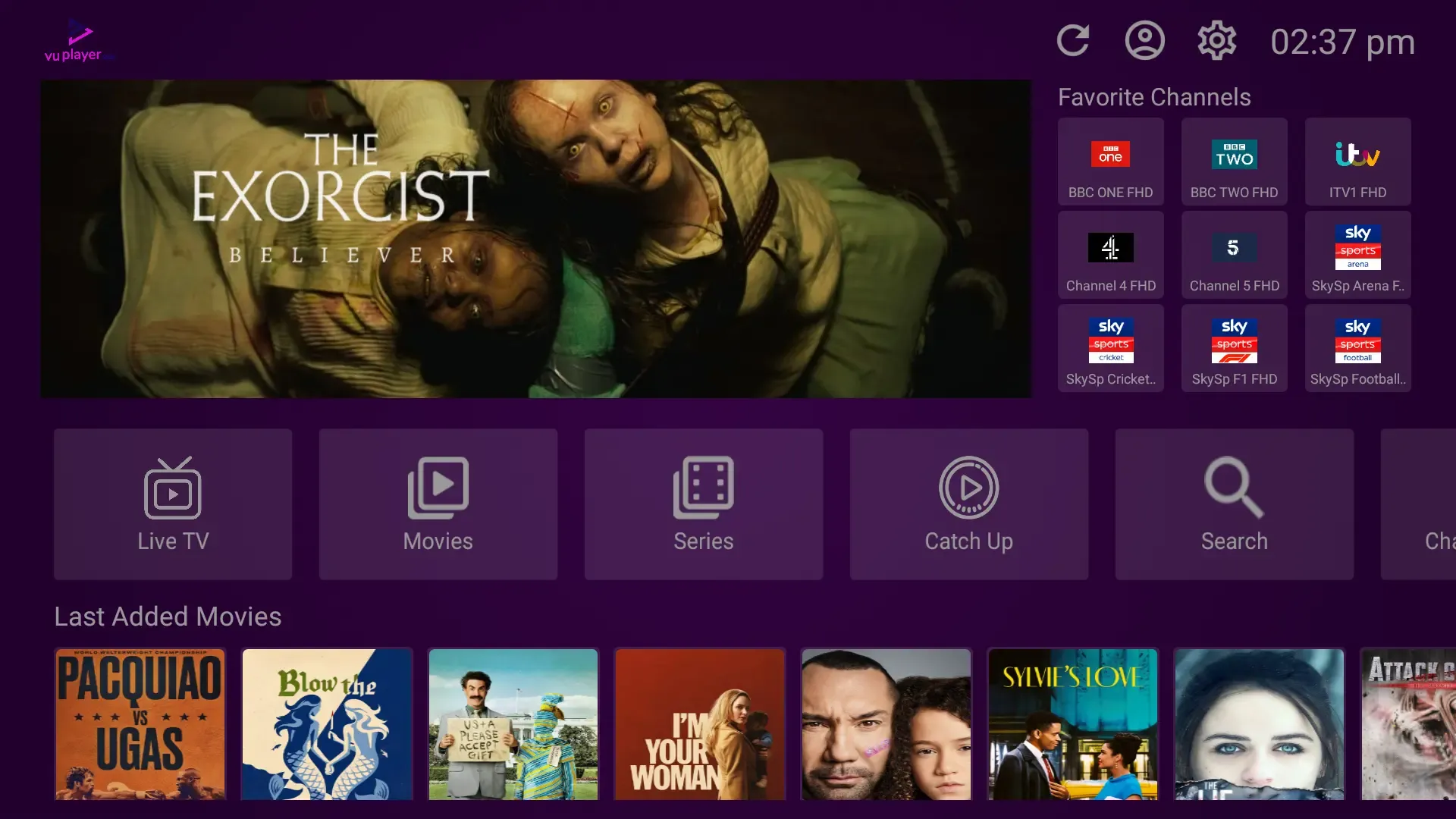
Table of Contents
What is Vu Player Pro?
Vu Player Pro is a fantastic app for watching live TV and movies. It is very popular because it looks great, runs very fast, and organizes all your movies with nice posters.
You can easily install it on almost any device, including Firesticks, iPhones, Samsung TVs, and even your Windows computer. This guide will show you exactly how to get it, provide the Downloader code 327187, and explain how to send your Device ID to connect your channels.
Reminder: Vu Player Pro is an empty app — it does not come with any channels. It is just the software you use to watch the subscription provided by your service.
How to Install on Different Devices
Vu Player Pro is very easy to find. Check the list below to see how to install it on your specific TV or phone:
| Device Type | How to Install | Developer Mode Needed? |
|---|---|---|
| Amazon Firestick | Use the Downloader App (Code: 327187) | Yes |
| Android TV | Google Play Store | No |
| iPhone / iPad / Apple TV | App Store (Search: "Vu Player Pro") | No |
| Samsung Smart TV | Samsung TV App Store | No |
| LG Smart TV | LG Content Store | No |
| Windows Computer | Download from the official website | No |
Firestick Installation Steps (Code: 327187)
If you are using an Amazon Firestick, the easiest way to install Vu Player Pro is by using the free Downloader app. Just follow these steps:
Step 1: Turn on Developer Options
On your Firestick, go to Settings → My Fire TV → Developer Options. Turn on "Apps from Unknown Sources". (If you don't see Developer Options, go to About, and click your "Fire TV Name" 7 times to unlock it).
Step 2: Get the Downloader App
Search for the free "Downloader" app on your Firestick home screen and install it. Open the app and click "Allow" when it asks for storage permission.
Step 3: Type the Code 327187
Click the search box in the Downloader app and type the code 327187. Hit Go. The app will automatically find Vu Player Pro and start downloading it.
Step 4: Click Install
When the download is done, a window will pop up. Click "Install". Once it's finished, click "Done" and delete the installation file to save space on your TV.
How to Log In
To log into Vu Player Pro, you do not type a username or password. Instead, you send us your TV's special code, and we connect your channels remotely. Here is how:
1. Open the App to Find Your Codes
Open Vu Player Pro. Right on the very first screen, you will see two things: a "Device ID" and a "Device Key". Write these down.
2. Send the Codes to Us
Reply to the email we sent you (or send us a WhatsApp message) with your Device ID and Device Key.
3. Restart and Watch
We will link your channels. Once we tell you it is ready, simply close the app and open it again. All your live TV, movies, and shows will magically appear!
Frequently Asked Questions
What is the Vu Player Pro Downloader code for Firestick?
The official code to type into the Downloader app is 327187. This will automatically download the app for you.
Does Vu Player Pro come with live channels?
No. Vu Player Pro is just an empty video player. You need to buy a subscription from a service like IPTV Reseller List to actually get live channels and movies.
How do I log into Vu Player Pro?
You will need to open the app to find your Device ID and Key. You give these codes to your provider (like us), and we will connect your channels remotely.
Can I get Vu Player Pro on my iPhone?
Yes! Vu Player Pro is available directly in the Apple App Store for iPhones, iPads, and Apple TVs. Just search for it and download it normally.
Upgrade Your Streaming Experience
Get access to our fast, reliable servers and connect it with Vu Player Pro to enjoy a completely buffer-free TV experience.