
TiviMate Setup Guide
Learn exactly how to install and log into TiviMate on your Firestick or Android TV using our simple instructions.
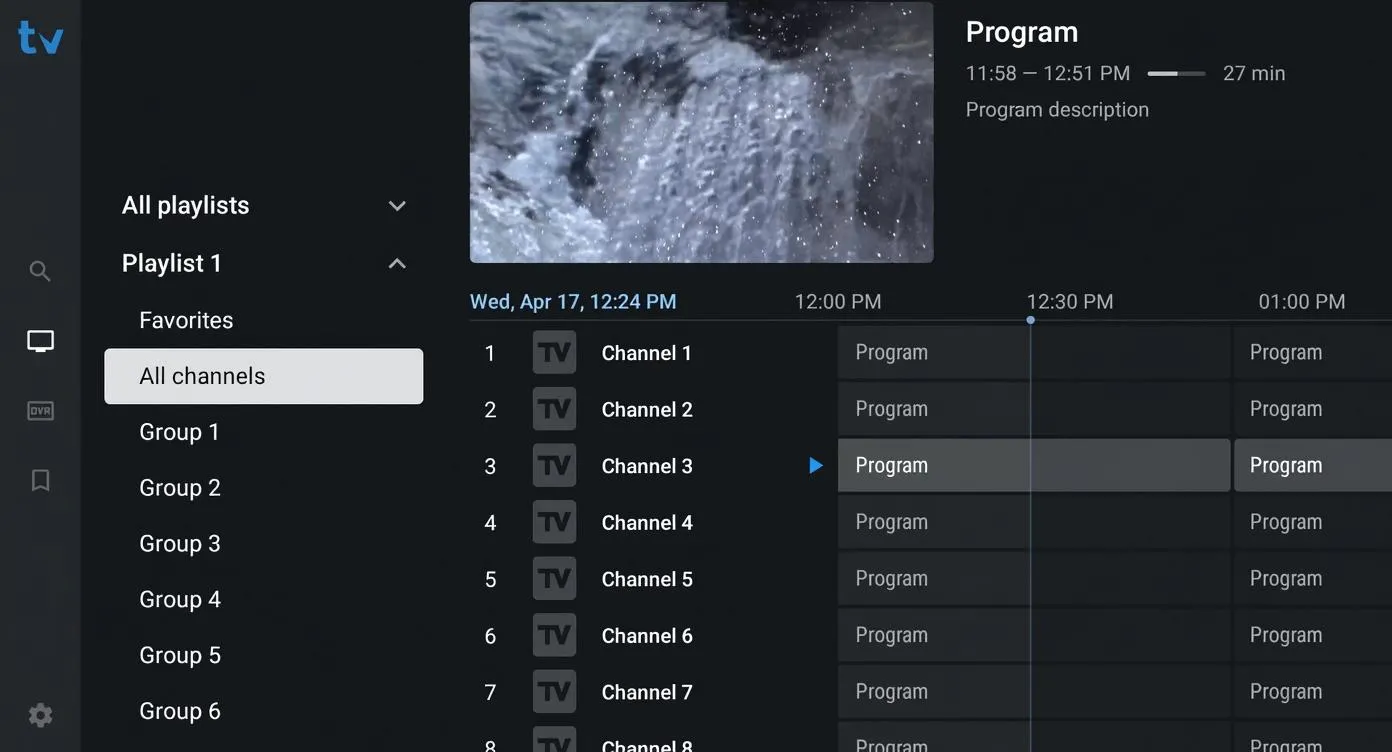
Table of Contents
Why is TiviMate the Best?
TiviMate is widely considered the absolute best app for watching live TV on Android and Firestick devices. It looks exactly like an expensive cable or satellite TV guide, making it incredibly easy for anyone to use.
This guide will show you exactly how to install it, give you the special Downloader code 272483, and show you how to log in with your subscription details to get the best picture quality.
Reminder: TiviMate is an empty app — it does not come with any channels. It is just the software you use to watch the subscription provided by your service.
Firestick Installation Steps (Code: 272483)
TiviMate is designed for Android and Firestick. The easiest way to install it is by using the free Downloader app. Just follow these steps:
Step 1: Turn on Developer Options
On your Firestick, go to Settings → My Fire TV → Developer Options. Turn on "Apps from Unknown Sources". (If you don't see Developer Options, go to About, and click your "Fire TV Name" 7 times to unlock it).
Step 2: Get the Downloader App
Search for the free "Downloader" app on your Firestick home screen and install it. Open the app and click "Allow" when it asks for storage permission.
Step 3: Type the Code 272483
Click the search box in the Downloader app and type the code 272483. Hit Go. The app will automatically find TiviMate and start downloading it.
Step 4: Click Install
When the download is done, a window will pop up. Click "Install". Once it's finished, click "Done" and delete the installation file to save space on your TV.
How to Log In
Once TiviMate is installed, you need to connect your live TV subscription. The best way to log in is using "Xtream Codes". Here is how:
1. Add Playlist
Open the TiviMate app. You will see an option that says "Add Playlist". Click it.
2. Choose Xtream Codes
You will see a few choices. Select "Xtream Codes". This is the fastest and most organized way to load your channels.
3. Enter Your Details
Now, simply type in the Server URL, Username, and Password that we emailed to you. Make sure you check the box that says "Include VOD" so you get all the movies too. Click Next, and you are ready to watch!
How to Fix Buffering
TiviMate runs very smoothly, but if your internet is slow and you experience small skipping or freezing, you can easily fix it by changing a few settings:
Make the Buffer Size Larger
Go to Settings → Playback → Buffer Size. Change it from "Normal" to "Large" or "Very Large". This tells your TV to load the video ahead of time so it doesn't freeze.
Fix Audio Sync Problems
If the people talking on the screen don't match the words you are hearing, go to Settings → Playback and turn on "Audio Passthrough".
Frequently Asked Questions
What is the TiviMate Downloader code for Firestick?
The official code to type into the Downloader app is 272483. This will automatically download the app for you.
Does TiviMate come with live channels?
No. TiviMate is just an empty video player. You need to buy a subscription from a service like IPTV Reseller List to actually get live channels and movies.
How do I fix buffering on TiviMate?
You can easily fix minor skipping by opening Settings > Playback > Buffer Size, and changing it to "Large".
Upgrade Your Streaming Experience
Get access to our fast, reliable servers and connect it with TiviMate to enjoy a completely buffer-free TV experience.