
8K Player VIP Setup Guide
Learn exactly how to install and log into 8K Player VIP on your Firestick using our simple instructions.
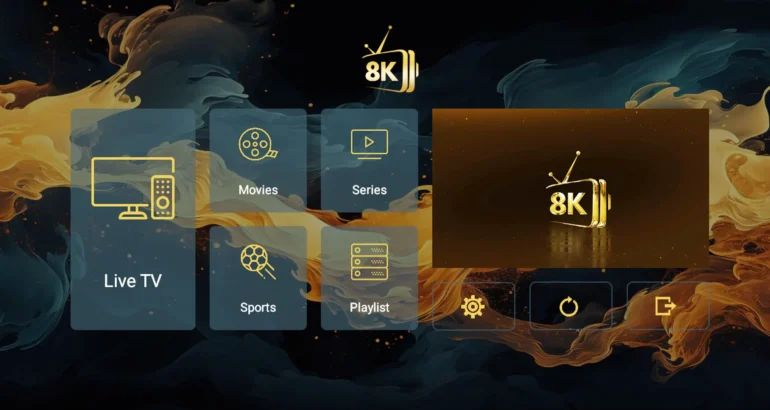
Table of Contents
What is 8K Player VIP?
8K Player VIP is a popular, completely free app that allows you to watch live TV channels and movies. It works perfectly on many devices including Android boxes, Firesticks, and Smart TVs.
Because it is a free service, it includes a beautiful TV Guide (EPG) to see what is playing next. The official app is not inside the Amazon App Store, but don't worry! We will show you the exact code (2057169) to install it safely and easily.
Reminder: 8K Player VIP is an empty app — it does not come with any channels. It is simply the software you use to watch the TV subscription provided by us.
How to Install on Firestick (Code 2057169)
To get 8K Player VIP on your Firestick, we will use the free Downloader app. Follow these easy steps:
Step 1: Turn on Permissions
On your Firestick, go to Settings → My Fire TV → Developer Options. Turn on "Install Unknown Apps". (If you don't see Developer Options, go to About, and click your "Fire TV Name" 7 times to unlock it).
Step 2: Get Downloader
Use the search bar on your Firestick to look for the "Downloader" app. Download and install it for free.
Step 3: Type the Code
Open Downloader. Click the search box and type the number 2057169. Click Go (or Download if you are on Android).
Step 4: Install the App
Wait for the 8K Player VIP file to download. When it finishes, a window will pop up. Click "Install". Once it says "App Installed", you are ready!
How to Log In
Now that the app is on your TV, it's time to connect your channels:
1. Open 8K Player VIP
Find the app on your Firestick home screen and open it. Because you don't have channels yet, you might see a screen showing your TV's "MAC Address".
2. Add Your Details
Click on one of the empty boxes (like "8K VIP-1" or "8K VIP-2") and select "Edit".
3. Type Your Username
Enter the Username and Password (or the long M3U link) that we emailed you when you bought your subscription. Click "Update Playlist".
4. Start Watching!
The app will automatically load all your channels. You can now go to the main menu and choose between "Live TV", "Movies", or "Series". Enjoy your hassle-free streaming!
Frequently Asked Questions
What is the Downloader code for 8K Player VIP?
The official code to type into the Downloader app is 2057169. This will instantly download the app onto your Firestick or Android TV.
Does 8K Player VIP come with live TV channels?
No. 8K Player VIP is an empty video player. You need to buy a subscription from a service like IPTV Reseller List to get live channels and movies.
Is 8K Player VIP free to use?
Yes, the player itself is a free app. However, you will still need a paid TV subscription from us to connect to it.
Upgrade Your TV Experience
Connect 8K Player VIP to our fast, reliable servers and enjoy a completely buffer-free TV experience.